> ## Documentation Index
> Fetch the complete documentation index at: https://parser.xdr.ooo/llms.txt
> Use this file to discover all available pages before exploring further.
# Which files can I download?
> Understand the final file generation controls and the difference between a preview and a generated draft.
# Which files does Parser Studio create?
**File downloads come at the end**, after **Analyze Logs → Review Fields → Map Fields → Create Parser**. A green initial analysis does not download a file by itself.
## How to reach the download
1. Confirm the analysis counted all representative events.
2. Check values in **Review Fields**.
3. Review correct destinations and types under **Map Fields**.
4. On **Create Parser**, make sure **Need fixing** is **0**.
5. Click **Run Final Test & Create Files**.
6. If generation succeeds, download the offered logic and configuration files together.
## Files you may see
| File type | Meaning |
| - | - |
| **Ruby parser logic** (usually an extensionless file) | Reviewed rules for extracting values from the source |
| **CONF** companion file | Matching configuration generated for the same parser draft |
| Optional package download | A bundled set of the generated artifacts |
File availability depends on the supported compiler and current validated source. Parser Studio checks the SHA-256 identity of returned generated content before making verified output available.
## What counts as a successful result?
* The entire reviewed sample passes its applicable checks.
* Output destinations and types have no blocking errors.
* The generation service returns an acceptable file pair with valid integrity.
* You can keep the generated pair with the reviewed source examples.
A generated **draft** is a result of the selected samples and supported generator rules. It is not a guarantee that any other unseen log variations will parse correctly.
## If a button is unavailable
| Problem | Go back to |
| - | - |
| A source event was not fully extracted | [Partial-event repair](/scenarios/partial-event) |
| A field destination or type is wrong | [Map Fields](/workflows/map-fields) |
| Multiple log structures were not supported in one draft | [Mixed events](/scenarios/mixed-events) |
| The generator reports unavailable/invalid service or file integrity | [Troubleshooting](/reference/troubleshooting) |
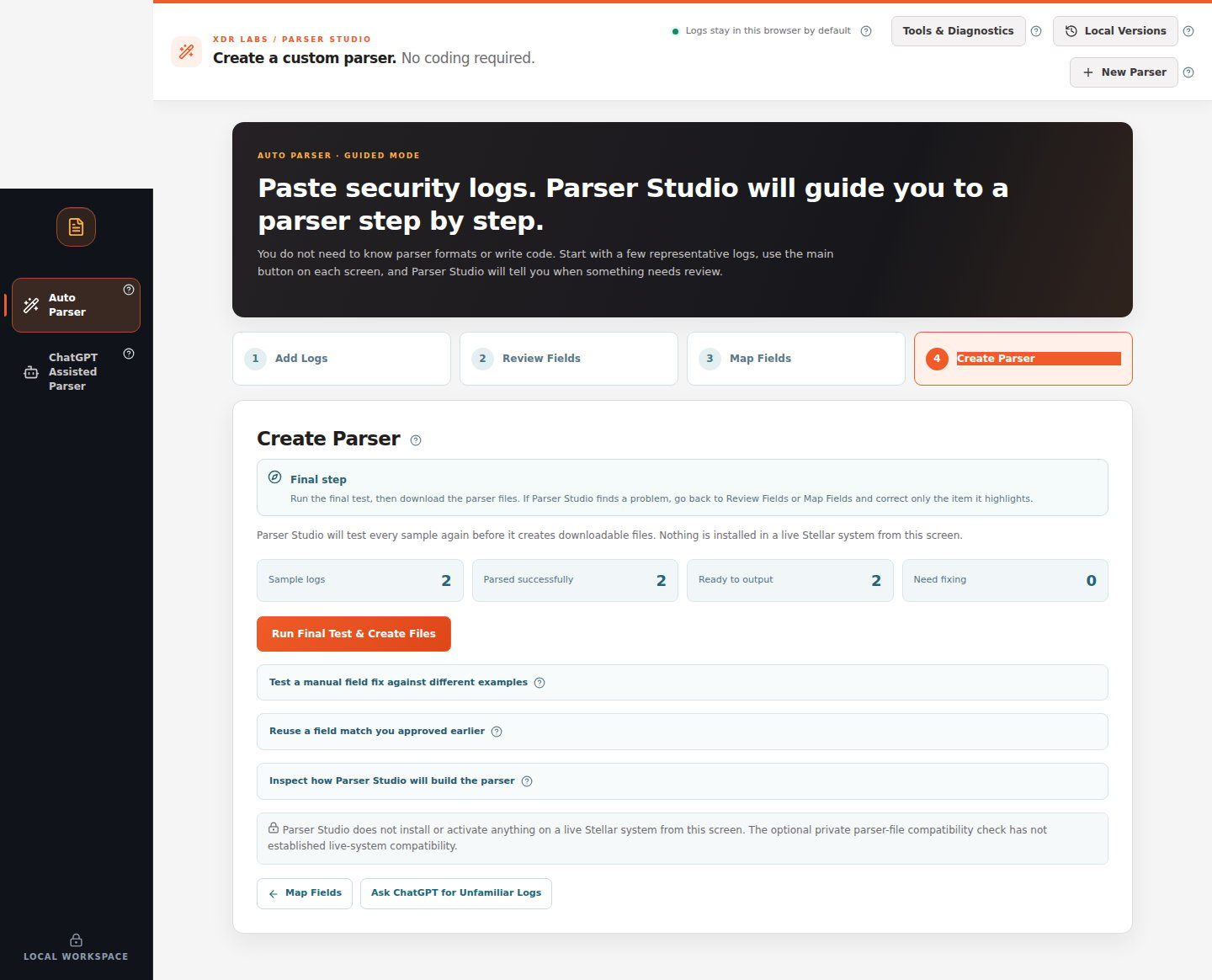 *The file-generation button is available after source and mapping review; this screenshot is before the final generator response.*
This documentation is built and hosted on [Mintlify](https://mintlify.com), a developer documentation platform.
*The file-generation button is available after source and mapping review; this screenshot is before the final generator response.*
This documentation is built and hosted on [Mintlify](https://mintlify.com), a developer documentation platform.