Which files does Parser Studio create?
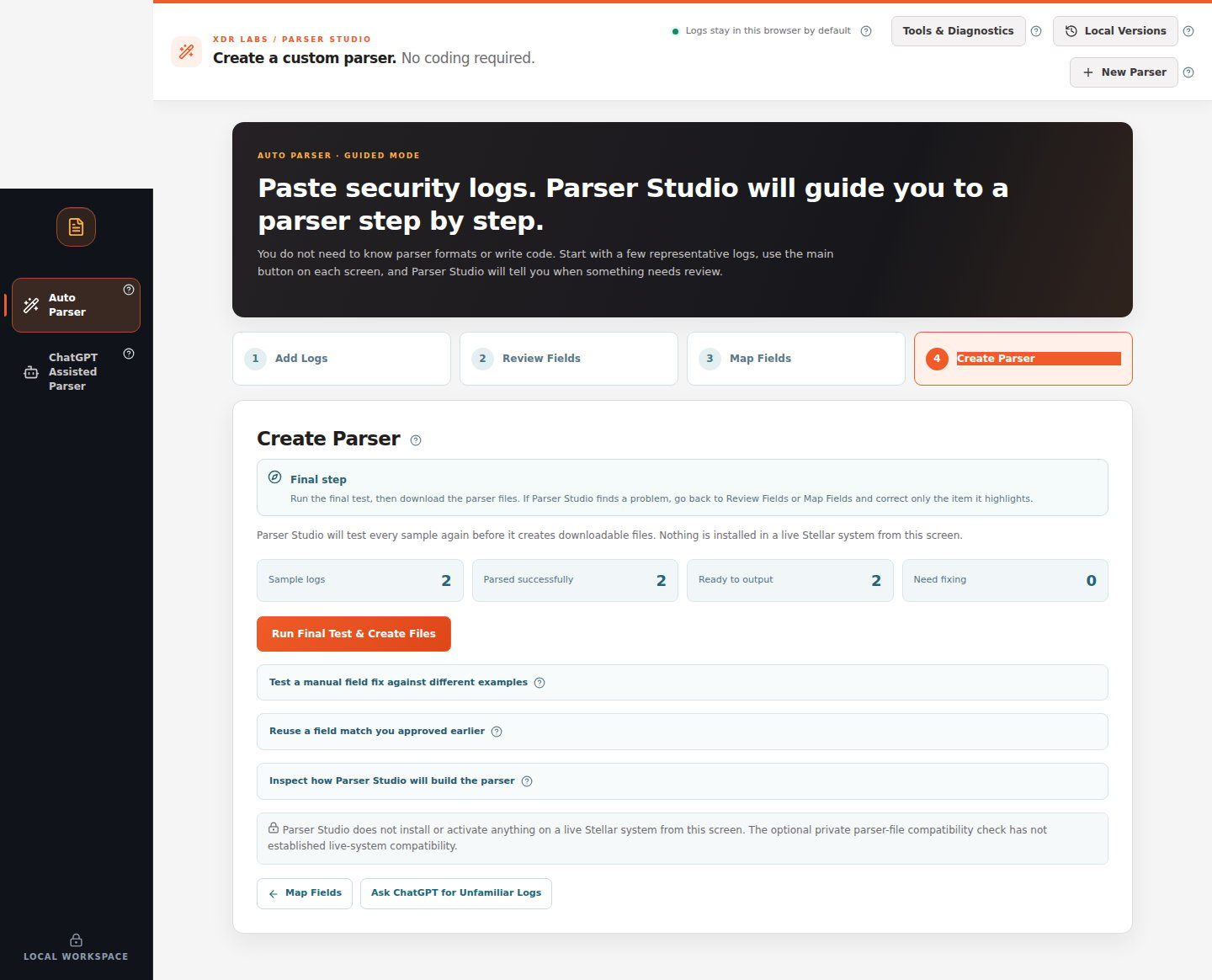
File downloads come at the end, after Analyze Logs → Review Fields → Map Fields → Create Parser. A green initial analysis does not download a file by itself.How to reach the download
- Confirm the analysis counted all representative events.
- Check values in Review Fields.
- Review correct destinations and types under Map Fields.
- On Create Parser, make sure Need fixing is 0.
- Click Run Final Test & Create Files.
- If generation succeeds, download the offered logic and configuration files together.
Files you may see
File availability depends on the supported compiler and current validated source. Parser Studio checks the SHA-256 identity of returned generated content before making verified output available.
What counts as a successful result?
- The entire reviewed sample passes its applicable checks.
- Output destinations and types have no blocking errors.
- The generation service returns an acceptable file pair with valid integrity.
- You can keep the generated pair with the reviewed source examples.
A generated draft is a result of the selected samples and supported generator rules. It is not a guarantee that any other unseen log variations will parse correctly.
If a button is unavailable