

Something went wrong. What should I click?
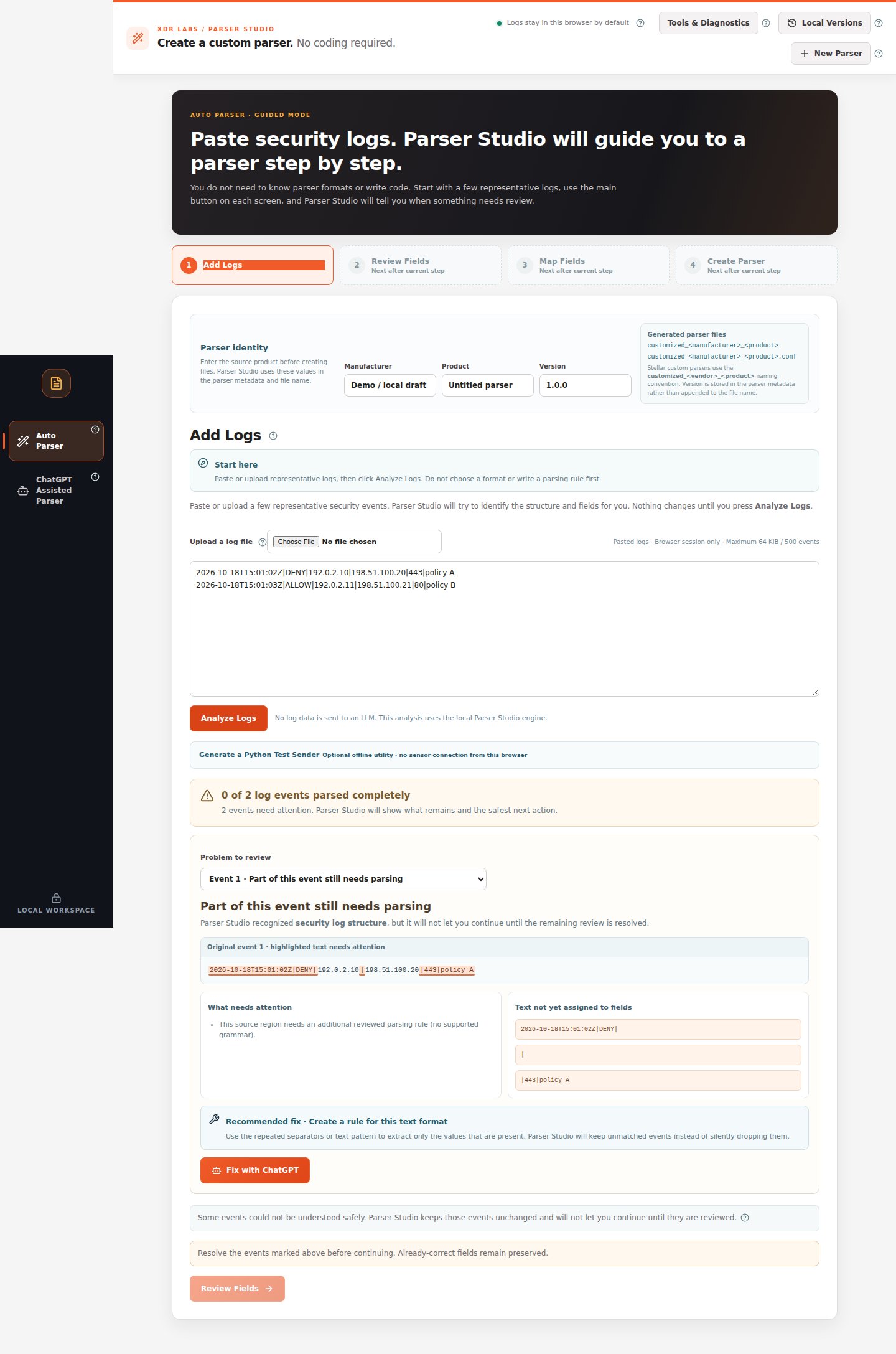
Do not start by changing a parsing expression or choosing a format. Stay in Auto Parser and use the actual warning the application displays.Common issues after Analyze Logs
Problems in Map Fields
If the source value itself was correct, do not re-parse the logs to fix the mapping name.
Problems during Create Parser
ChatGPT did not solve it
- Verify that the copied prompt was masked and described only the missing field.
- Ask for ParserRecipe v0.2 JSON, not arbitrary executable code.
- Paste under 3. Paste the ChatGPT result, then Check ChatGPT Result.
- If a changed rule fails the additional-sample comparison, do not approve it.
How to report a reproducible issue
Keep a fictional or masked example, note which stage failed, copy the exact on-screen message, list the number of affected events and describe the expected field/value. Never attach private original logs to a public issue.Partial extraction walkthrough
Correctly found fields stay preserved while you repair the remainder.
Unknown source walkthrough
Use the supported manual ChatGPT workflow.