

Choose what happened after analyzing your logs
Everyone starts in Auto Parser: paste a few complete source events and click Analyze Logs. You do not have to identify a log format.Auto Parser: solve it inside the guided workflow
All logs were recognized
Continue to Review Fields, confirm suggested mappings, then create and download the files.
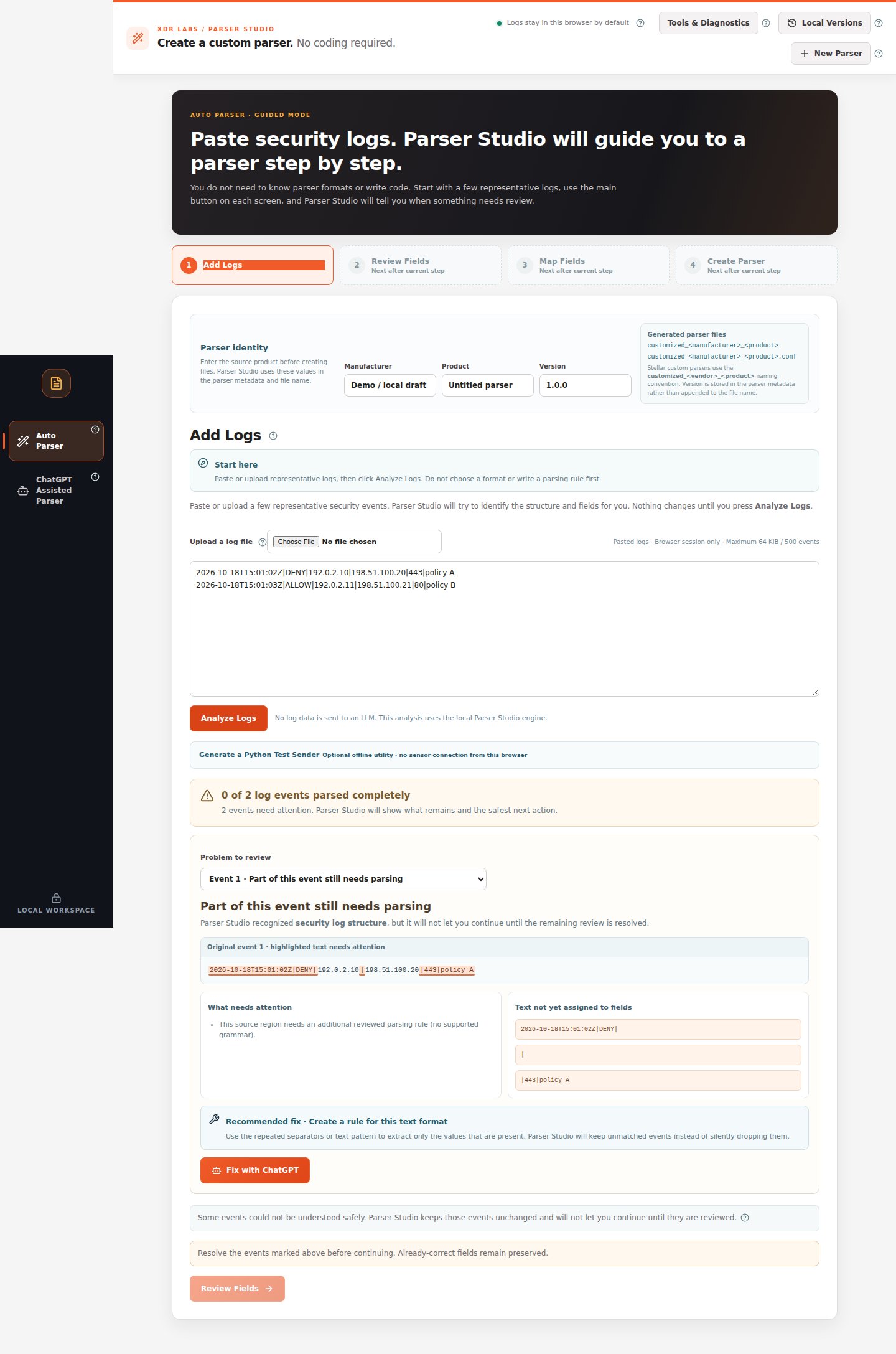
Part of an event is missing
Select Problem to review, inspect the highlighted region, and try the recommended fix.
My product sends several event types
Paste examples together, review every type, and create one combined draft only when supported.
Values have no reliable field names
Keep all values with temporary names or enter trusted names and confirm the column order.
A field has the wrong output name
Correct its destination and type under Map Fields instead of rewriting extraction.
One event spans several lines
Review the message boundary, then continue only with a supported framing rule.
I want to save parser versions
Compare experiments and restore a browser-local draft.
I need changing sample logs
Download and use the standalone Python test sender.
ChatGPT Assisted Parser: recover or verify a difficult case
Use the left-side ChatGPT Assisted Parser menu when the automatic path cannot safely interpret the source or proposes a change that needs independent checking.Nothing in my log was understood
Create a manually reviewed, masked prompt and paste the restricted JSON result back.
One missing field needs a new rule
Preserve correct values and request one narrow change.
ChatGPT's answer was rejected
Read the error and ask for a supported structured correction.
The suggested fix needs additional proof
Use other events as independent tests before approving the result.
A real screenshot of a flagged event
Which guide should I read first?
- Everything parsed correctly → finish the four steps
- Some text is highlighted → repair only the affected part
- Completely unfamiliar logs → ChatGPT Assisted Parser
- One product, many event types → review a combined parser