

Review Fields: check the values, not the format
You reached this screen because the logs have been analyzed. The question now is simple: “Did Parser Studio find the values I expect?”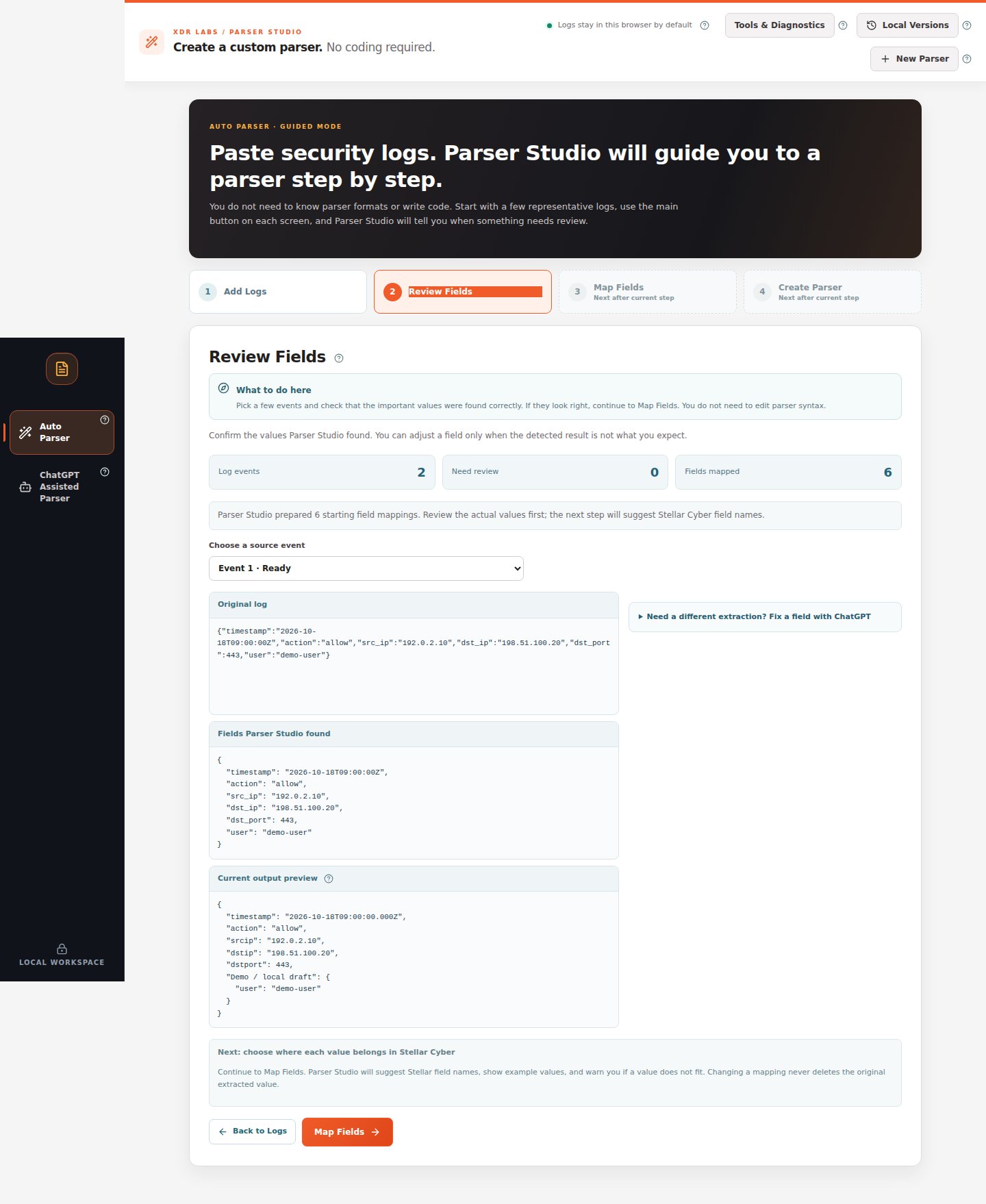
If everything looks correct
- In Choose a source event, select Event 1.
- Read Original log, Fields Parser Studio found, and Current output preview.
- Look for action, timestamp, addresses, username, port and any important security event value.
- Switch to another event and confirm its different values were also detected.
- Click Map Fields at the bottom. Do not open repair tools for a correct field.
If a field is wrong or missing
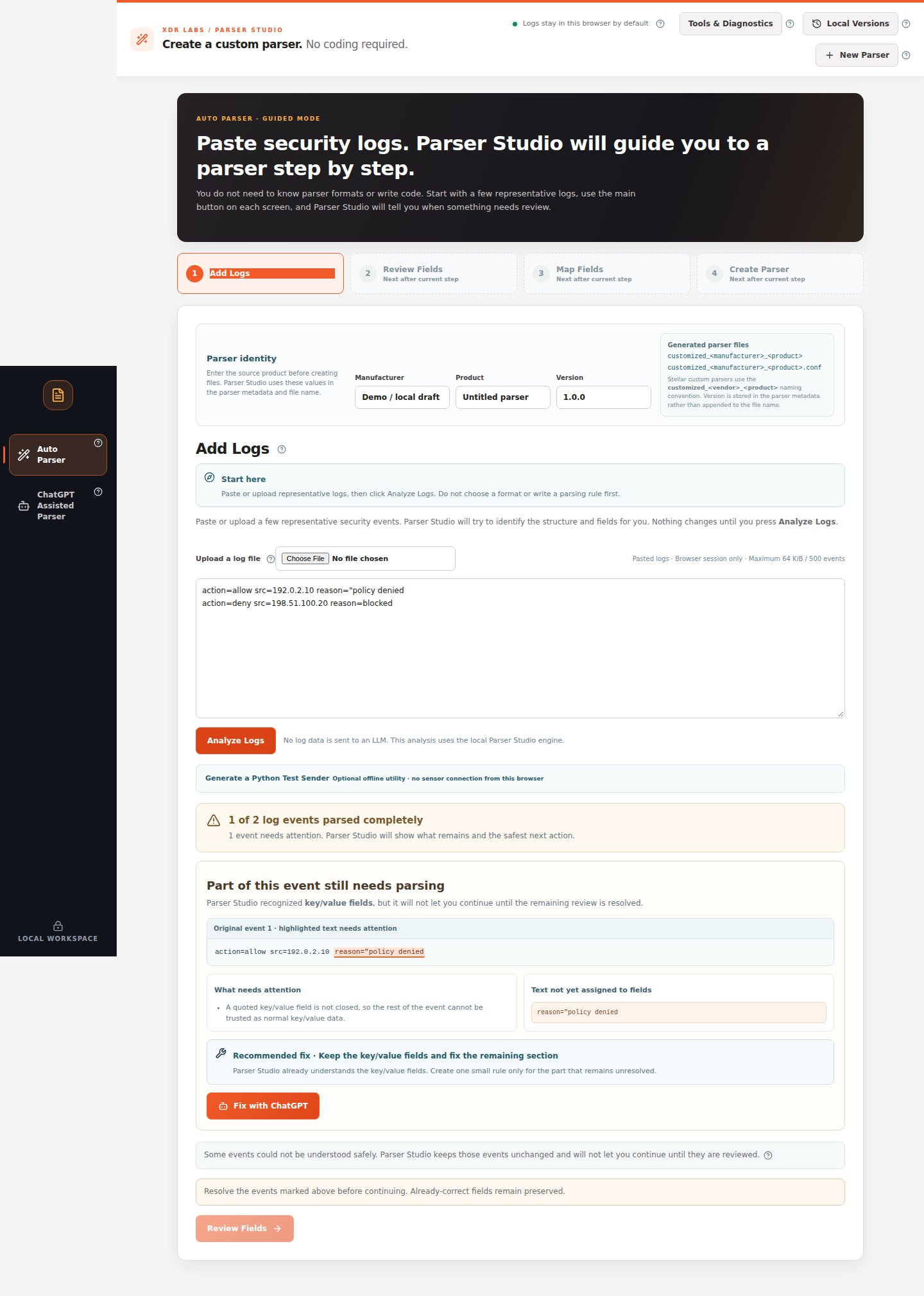
For example, an original record includesreason="policy denied", but the result shows only policy.
- Confirm which original event has the wrong value.
- If you are still at Add Logs with a warning, use Problem to review to select the failing event. The underlined or highlighted section identifies the unresolved bytes.
- Read What needs attention and Recommended fix.
- If the whole source structure is already recognized but only one field is missing, preserve the fields that are correct and apply only a reviewed fix.
- In Review Fields, the optional disclosure Need a different extraction? Fix a field with ChatGPT lets you investigate a selected event.
- Test the change against additional events before accepting it.
Typical problems
Next: Map Fields.